Construction Project Management Software: A Buyer's Guide
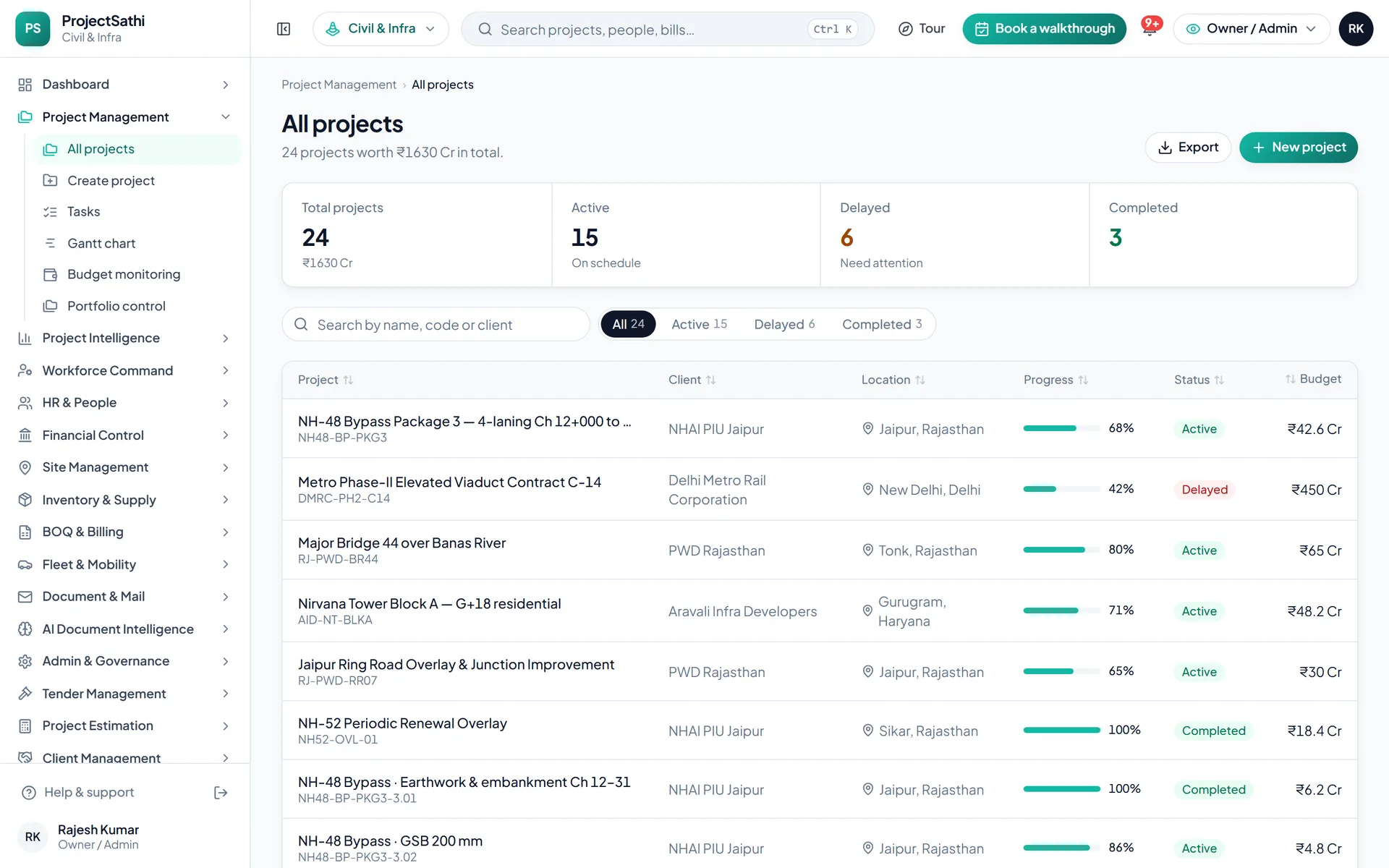
A buyer's guide to construction project management software for ₹10–100 Cr firms: requirements checklist, module map, rollout, pricing and vendor questions.
Buying construction project management software for a firm with ₹10 to ₹100 crore of annual turnover comes down to four decisions: which problems you are solving first, which modules those problems need, how the rollout will be staffed, and what commercial model you can live with for three years. Get those four right and the vendor choice is usually obvious.
This guide is written for the owner, project head or finance head of a contractor or EPC firm at that size, running roughly five to twenty projects at once. It gives you a requirements checklist, a map from problems to modules, a rollout plan that does not stall, a comparison of pricing models and a list of questions to ask every vendor before you sign.
Start with the problem, not the product
Firms at this size usually buy construction project management software because one of these has become expensive:
- Billing lag. Progress bills (RA bills) take two to three weeks to prepare because measurements are reconstructed at month-end, and working capital pays for the delay.
- No portfolio view. The owner can get a status on any one project by calling someone, but cannot see twelve projects side by side with budget utilisation and delay risk.
- Cost leakage. Material consumption, hired plant and diesel cannot be reconciled per project, so margin is discovered at closeout.
- Weak claims. An EOT request fails because the daily records, weather logs and letters are incomplete or scattered.
- Payroll and compliance effort. Attendance across several locations is reconciled by hand before PF, ESI and TDS are computed.
Write down which two of these hurt most. They decide the order in which modules go live, and they are the yardstick for every demo.
Construction project management software requirements checklist
Use this as the first page of your RFP. Mark each line must-have, should-have or later.
Planning and control
- Project breakdown into tasks or work packages with dependencies and a critical path
- Milestones linked to payment milestones in the contract
- BOQ vs actual at project, sub-head and item level, updated from field entries
- Portfolio rollup of all projects for the owner and CFO
Field execution
- Daily progress report from a mobile app: workforce deployed, materials received, work done, blockers
- Offline capture that syncs when connected
- Geo-stamped photos, inspection checklists, weather logs
Contract, billing and claims
- Item-level BOQ with versions; rate analysis by material, labour, machinery and overheads
- Cumulative progress bills with deductions, ad-hoc invoices and debit notes on one workflow
- GST split by place of supply, HSN/SAC codes, GSTR export
- A register of every bill, EOT, change order and letter across projects, with status and days open
Workforce
- Attendance with geo-stamp and photo; leave that feeds payroll
- Payroll with PF, ESI, PT and TDS; payslips; NEFT bulk file
- Headcount per project against approved strength
Materials, vendors and equipment
- Stock per location with consumption velocity and reorder alerts
- Material request, approval and issue with an audit trail
- Vendor master with rating, lead time and payment history
- Vehicle and plant cost per project; fuel logs; PUC, fitness and insurance reminders
Governance
- Role-based permissions by module, project and field
- Approval workflows for sensitive actions such as rate changes
- Activity and login logs exportable for audit
Module map: problems to modules
In ProjectSathi's terms, the checklist maps like this. Other platforms will name things differently; the grouping is what matters.
- Billing lag: BOQ & Billing for the bill itself, Site Management for the daily measurements that feed it.
- No portfolio view: the Dashboard for the morning numbers and Project Intelligence for every bill, EOT, change order and letter across projects in one filterable register with delay-risk scoring.
- Cost leakage: Inventory & Supply for stock and requests, Fleet & Mobility for vehicles and plant, Budget Monitoring inside Project Management for BOQ vs actual.
- Weak claims: Site Management weather logs and photos, Document & Mail for the inward and outward register.
- Payroll effort: HR & People for attendance and compliance flags, Financial Control for the payroll run and bank file.
A civil contractor on a ₹40 Cr highway package will lean on billing, fleet and claims. A mechanical EPC firm on a plant turnaround will lean on work packages, hired-plant cost and long-lead material tracking. The modules overlap heavily; the emphasis does not.
Rollout: how to avoid the stall
Most construction project management software rollouts that fail do so in month two, when the field stops entering data and the office goes back to Excel. A rollout that holds:
- One project, one month. Go live on the project with the most cooperative project manager, not the largest one. Field app, attendance and daily logs only.
- Billing on the second project. Once daily measurements are reliable, switch the progress bill to the platform. Run one bill in parallel with the old method and reconcile.
- Payroll and inventory in the second quarter. These touch finance and stores and need their own training.
- Portfolio reporting last. Dashboards are only as good as the data under them; switch the owner's weekly review to the platform when three or more projects are live.
Name one internal owner, give them time in their week, and agree with the vendor what onboarding includes. ProjectSathi's plans include onboarding with a stated timeline, from a two-week single-project rollout on Starter to a six-to-eight-week dedicated rollout on Enterprise. The how it works page describes the sequence.
Pricing models and what they mean for you
You will meet four models:
- Per user per month. Easy to start, expensive as field adoption grows, and it quietly discourages giving supervisors a login, which defeats the purpose.
- Per project. Scales with work, but penalises firms with many small projects and can make a pilot awkward.
- Percentage of contract value. Common with global platforms; hard to budget and unrelated to the effort of supporting you.
- Flat annual tiers with limits. A fixed price for a band of projects and users, with add-ons above it. Predictable, and the model ProjectSathi uses: Starter for up to 5 projects and 50 users, Growth for up to 15 projects and 200 users, Enterprise for unlimited projects and users. All are invoiced quarterly with onboarding included, and quoted after a demo.
Whatever the model, get the add-on schedule in writing: extra projects, extra users, integrations, on-site training and data migration are where quotes diverge after signing.
Questions to ask every vendor
- Show me the path from a field measurement to a certified progress bill, including GST and deductions, on your product.
- Does the mobile app work offline? What happens on a conflicting edit?
- Can a project manager be prevented from seeing payroll? Can a field engineer be read-only?
- What exactly is in onboarding: who sets up the BOQ, who trains the supervisors, how many days?
- What is the add-on price for a project or user beyond my plan?
- How do I get my data out: which registers export to Excel and PDF, and what is the Tally or Zoho export?
- What support hours apply, on which channel, with what response time?
- Can I run a pilot on one project before the annual contract, and is the pilot fee credited?
- Which Indian contract and compliance items are native: BOQ, RA bills, GST on works contracts, PF, ESI, PT, TDS?
- Can I see the product on sample data myself before the sales call?
On the last question, the ProjectSathi demo is open to any business email: pick your industry and type of work, tick the modules you want, and approve a bill, raise a material request and run payroll on sample data.
Making the decision
Score two or three products against the checklist, weighting the two problems you wrote down at the start. Then run the one-project rollout as a pilot, with a real bill at the end of it. A platform that survives one certified bill and one month of field entry is a platform your firm will keep.
When you are ready to see ProjectSathi on one of your own projects, with your BOQ and team loaded, schedule a demo and we will set it up for you.
Frequently asked questions
What size of firm needs construction project management software?
The need usually appears between the fourth and sixth concurrent project, when one person can no longer hold the status of every project and bills start to lag. Firms from about ₹10 Cr of turnover upward tend to recover the cost in working capital and reduced leakage; below that, a lighter field app may be enough for a year or two.
Should we replace Tally when we buy a project platform?
No. The platform handles planning, field execution, measurement, billing and payroll, and exports to the accounting system. Tally or Zoho remains the ledger and the GST filing base.
How long does implementation take for a ₹50 Cr contractor?
Typically one month to get the first project live on field and attendance, a second month to move billing, and a quarter to bring payroll and inventory across. Four to eight weeks of vendor-led onboarding is normal at this size, depending on the number of modules and projects.
Is per-user pricing or flat annual pricing better?
Flat annual tiers are easier to budget and do not penalise giving field supervisors a login. Per-user pricing can look cheaper at the start and becomes expensive exactly when adoption succeeds. Whichever you choose, get the add-on schedule in writing.