
DashboardA real-time command center for active projects, field headcount, BOQ utilisation, pending approvals, and material flow.
Every datasheet, instrument and change — audit-ready from day one. Capex, expansions, ETP and utilities — datasheets, vendors and an audit trail.
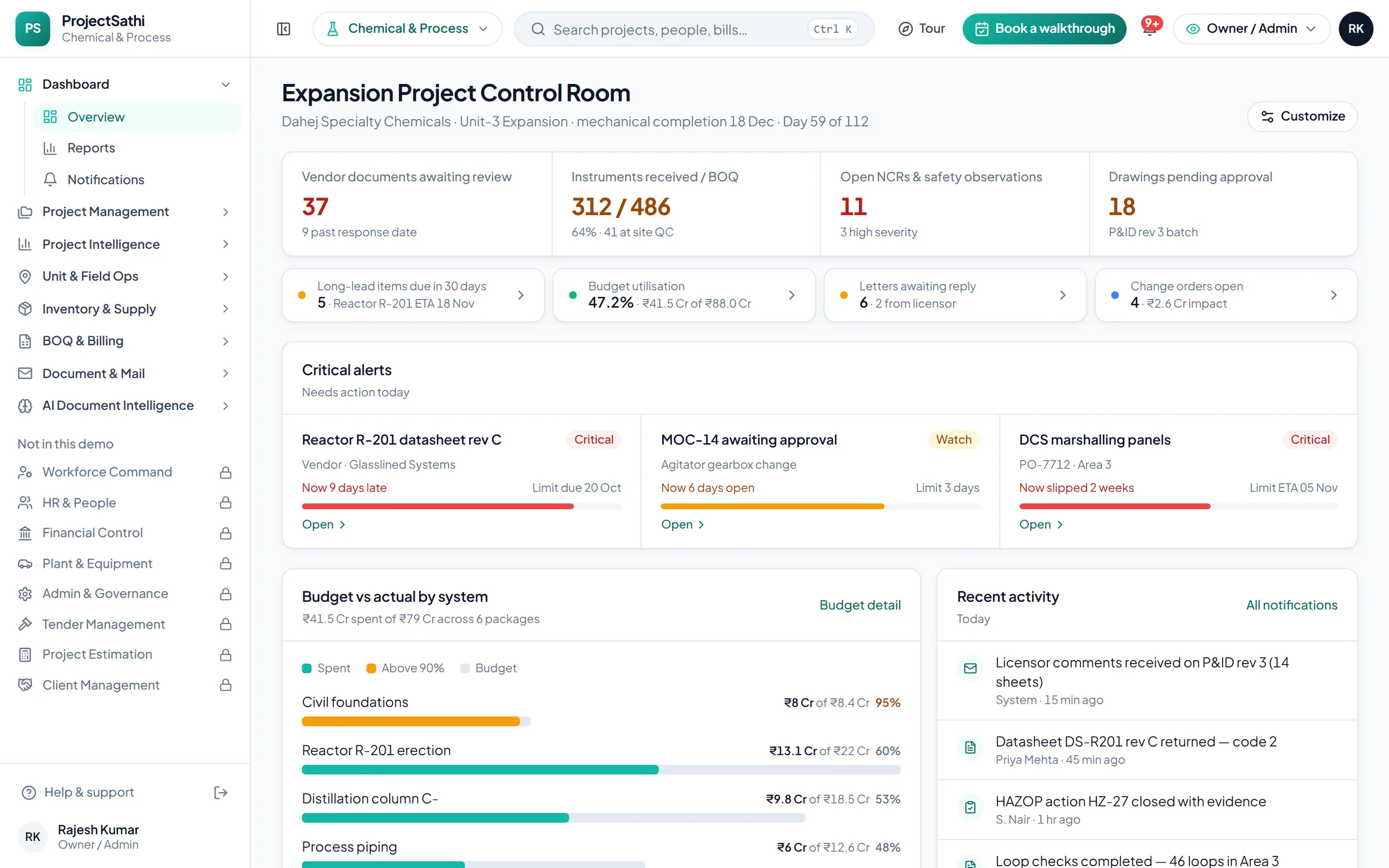
What the demo opens on
The first screen is the sample project Dahej Specialty Chemicals · Unit-3 Expansion, with the figures a Chemical & Process team checks first thing in the morning. Every number links to the module behind it.
In your vocabulary
Three screens from the Chemical & Process demo, as they open the moment the setup wizard finishes.
Progress is measured in loops checked. The critical path, what is behind, and the milestone that matters, on one Gantt.
Project Management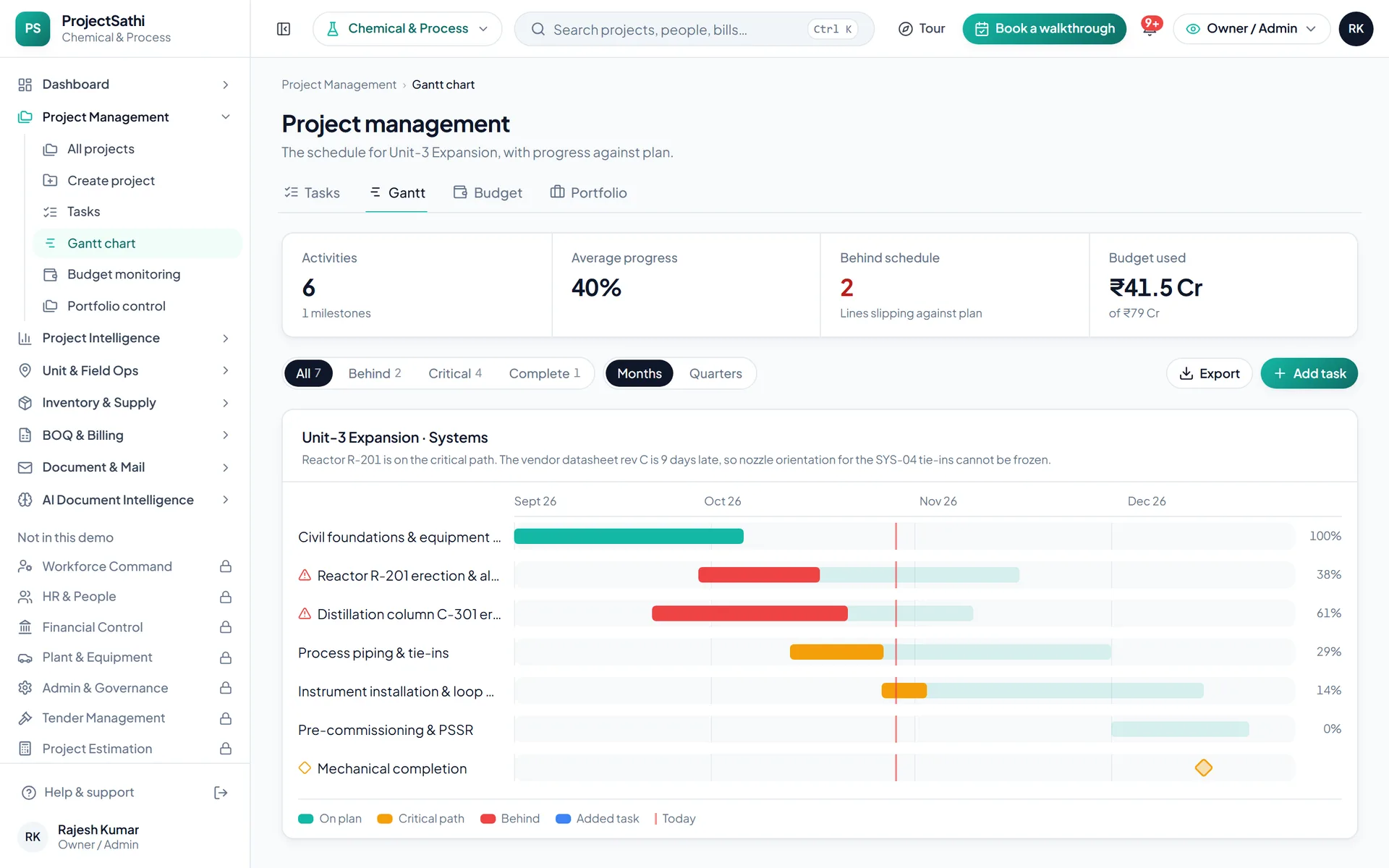
What is on hand against the reorder point, what is on request, what is on its way. Long-lead items with their own register.
Inventory & Supply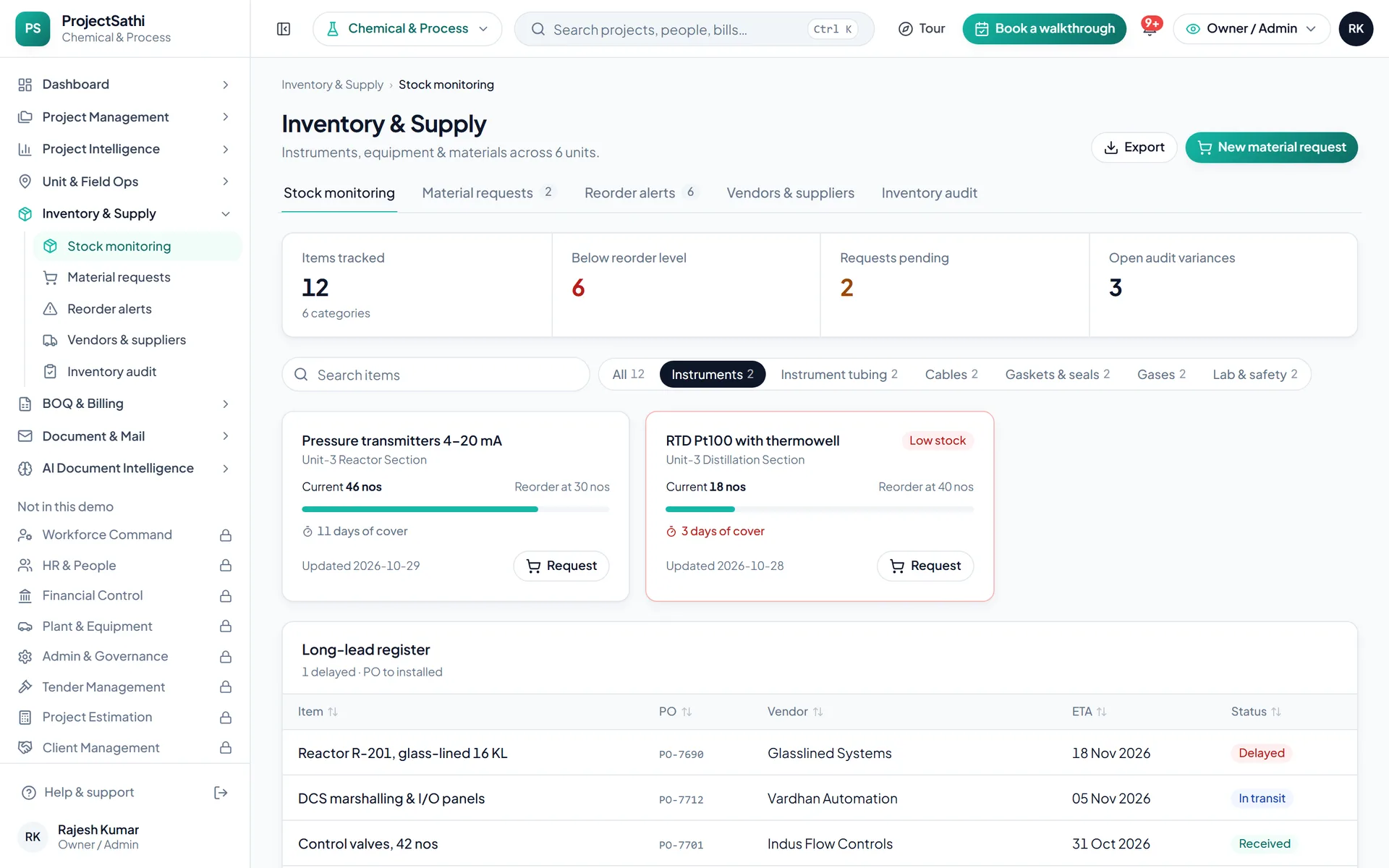
Certified quantities become the progress bill. Gross, net payable, due date and status for every bill, and the GST filing periods behind them.
BOQ & Billing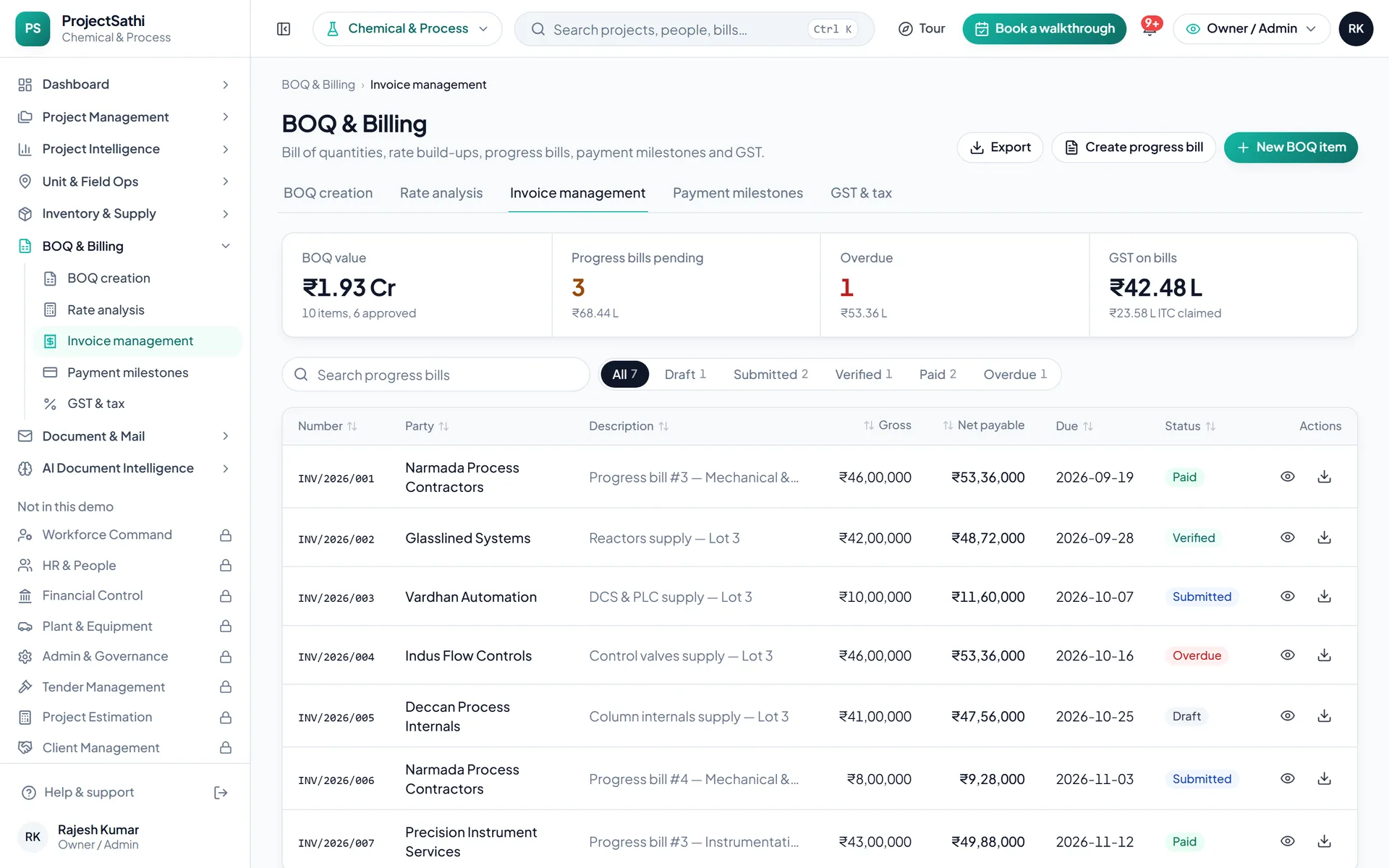
Real product screen from the live demo, sample data.
Types of work
The type of work sets the dashboard title, the unit of progress and the names of the work packages.
New units, debottlenecking and tie-ins
Effluent treatment, cooling water, steam and air
Modules on by default
Already ticked in the setup wizard. Untick what you don't need, or open a plan group to add more; Dashboard always stays on.


Try five things
Everything is sample data, so click freely. These five show most of what the product does.
Open Project Intelligence → All bills. Pick a bill that's waiting, check the submitted and recommended amounts, and approve it (or reject it with a reason). The register and the dashboard update straight away.
Open Financial Control → Salary processing, preview the month's payroll and process it. Then go to Bank transfers and download the NEFT bulk-payment file, and open Payslips to print one.
Open Inventory & Supply → Material requests and raise one for a site. Approve it, then issue the stock against it and watch the stock level change in Stock monitoring.
Almost every register has an Export menu. Open Dashboard → Reports (or any list) and export it to Excel (CSV) or PDF.
Use the role switcher in the header to view the workspace as the owner, a project manager or a site engineer. The project manager doesn't see payroll, AI documents or admin; the site engineer sees site work, stores and mail, and can't edit records.
Name, company, an email and a WhatsApp number. A 6-digit code confirms the email.
Civil, mechanical, chemical, energy or architecture; then the type of work; then the modules you want on, grouped by plan.
The workspace opens with sample projects in your vocabulary. The tour walks the screens that matter, then it's yours to click through.
project management software for chemical and process plant projects
A process plant project is won or lost on paper: the vendor datasheet that has been awaiting review for three weeks, the drawing the licensor has not approved, the instrument received against the BOQ that nobody can find. Project management software for chemical and process plant projects has to treat documents, vendors and changes as first-class records, because the process-safety audit will, and so will the owner when the change-order dispute arrives.
Document & Mail logs every drawing, datasheet, vendor document and letter with reference, party, priority and status, triages inward mail with an AI pass that writes a summary and assigns a category, versions outward letters, and archives everything searchably. The demo's Expansion Project Control Room opens with vendor documents awaiting review, drawings pending approval and letters awaiting reply as headline figures, because on a capex expansion those three queues are the schedule. AI Document Intelligence, switched on by default for this industry, indexes the whole document set so an engineer can ask what the licensor said about the tie-in sequence and get the answer with the page it came from.
Inventory & Supply tracks instruments, valves and long-lead equipment received against the BOQ (bill of quantities), per location, with vendor ratings, payment history and lead-time tracking on the vendor master. Instruments received against BOQ and long-lead items due in 30 days are headline figures on the dashboard. Material requests run from the unit through approval to issue with an audit trail, and reorder alerts fire before a consumable stalls a loop check. Project Management sequences the systems on a Gantt chart with dependencies, so a late vendor document shows which erection and pre-commissioning activities move with it, and Site Management records daily progress, inspections with pass/fail items and corrective actions, and NCRs and safety observations from the field.
An expansion accumulates changes: tie-in scope that grew, an ETP upgrade the pollution board asked for, a debottlenecking item the licensor added. Project Intelligence lists every change order across projects with its financial impact, every extension-of-time request with its justification and approval trail, and every letter with a reply-due date and days open. Inspections in Site Management carry corrective-action tracking, so open NCRs and safety observations have an owner and a close-out date. Every change to any record is logged with user, timestamp and previous value, which is what a process-safety audit or an owner's internal audit asks for first.
Certified quantities become GST-ready progress bills in BOQ & Billing, with HSN-coded lines, the CGST, SGST or IGST split and exports to GSTR and Tally; submitted, recommended and approved amounts are tracked on each bill. Statutory payroll with PF, ESI, PT and TDS runs in Financial Control for teams that use it, and the Dashboard rolls budget utilisation, pending approvals and the document queues into one screen for the owner, the licensor's coordinator and the contractor's project manager, each seeing their own slice of the project.
Questions
Longer pages on the problems this industry brings us.
We set it up with one of your live projects, your systems and your BOQ before the call.